Create a Virtual Dollar Card with Hook
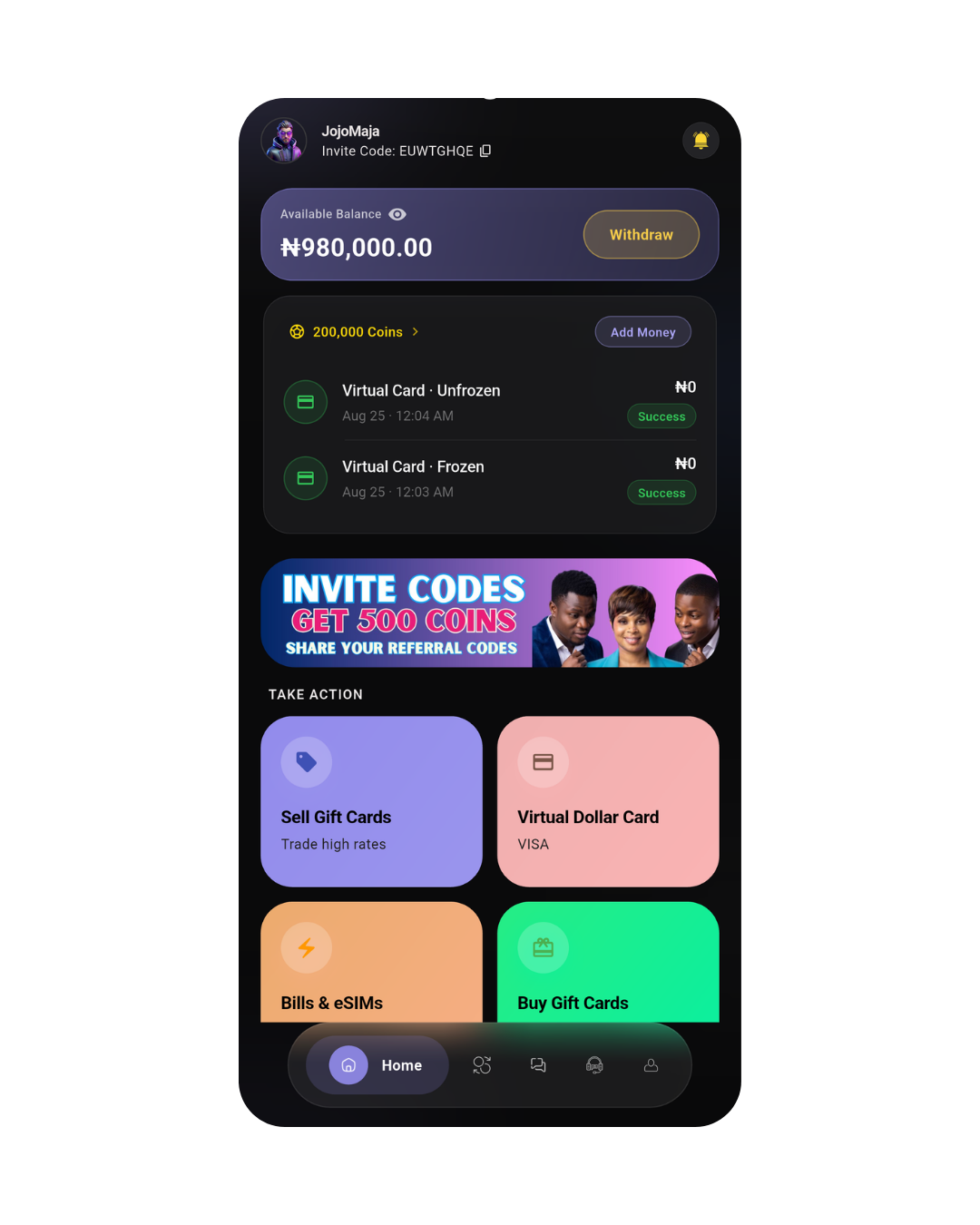
The Hook Virtual Dollar Card is designed for eligible users in Nigeria who need a convenient digital card for supported online payments and USD transactions.
Instead of using a physical bank card for every international online payment, you can create a supported virtual card directly from the Hook app .
Depending on availability, you may be able to choose between supported Visa and Mastercard options and select an available card category during the creation process.
Quick overview: Open Hook, select Virtual Dollar Card, start a new card, choose an available card network and category, enter the required information, review your selection, and create your card.
How to Create a Hook Virtual Dollar Card
Creating a Virtual Dollar Card is completed directly through the Hook app.
Step 1: Open the Hook App
Launch the Hook app and sign in to your account. If you do not already have an account, you can create one first.
Step 2: Select Virtual Dollar Card
From the available services in the Hook app, select Virtual Dollar Card to access your card dashboard.
Step 3: Tap New Card
Select New Card to begin the virtual card creation process.
Step 4: Choose Your Card Network
Depending on the options currently available to you, choose between a supported Visa or Mastercard virtual card.
Step 5: Enter the Required Information
Provide the contact and other information requested during the card creation process.
Step 6: Select Your Card Category
Choose an available card category based on the network and options displayed in your Hook app.
Step 7: Review and Create
Review your selected network, card category and the applicable details before selecting Create Virtual Card.
Choose Between Visa and Mastercard
Hook may provide different virtual card networks depending on availability. During the card creation process, the available options are displayed in the app.
Visa Virtual Dollar Card
Choose an available Visa card category when you want a supported Visa virtual card for eligible online payments and subscriptions.
Mastercard Virtual Dollar Card
Depending on availability, you can select a supported Mastercard virtual card for eligible online transactions where the card network is accepted.
Card availability, supported features, transaction limits and applicable restrictions can vary depending on the selected card and current availability.
Available Visa Virtual Dollar Card Types
When Visa options are available, Hook may display different card categories for you to choose from.
- Visa Classic: Designed for everyday eligible online payments.
- Visa Gold: An available Visa category for users with different payment requirements.
- Visa Platinum: A premium Visa category that may be available depending on current card options.
Not every card category will necessarily be available to every user at all times. The options displayed inside the Hook app are the available choices for your account.
Enter Your Required Card Information
After selecting your preferred card network and category, complete the information requested by Hook.
Make sure the information you provide is accurate and matches any applicable requirements shown during the card creation process.
Tip: Before continuing, carefully review your selected card type and the information you entered. This can help prevent unnecessary errors during card creation.
Review and Create Your Virtual Card
Before creating the card, review the information displayed on the confirmation screen.
Check your selected:
- Card network
- Card category
- Contact information
- Any applicable creation information or charges displayed in the app
When everything is correct, select Create Virtual Card to submit the request.
Once successfully created, your Virtual Dollar Card will be available from your Virtual Card section in the Hook app.
What Can You Use a Hook Virtual Dollar Card For?
Your Virtual Dollar Card can be used for eligible online transactions on supported platforms that accept the applicable Visa or Mastercard network.
- Online shopping on supported websites and services.
- International online payments where the applicable card network is accepted.
- Digital subscriptions on supported platforms.
- Online services that accept your selected card network.
- USD transactions on supported platforms.
Important: Acceptance is determined by the merchant, platform, card network and applicable transaction rules. Not every website or service will necessarily accept every virtual card.
Manage Your Virtual Dollar Card
After creating your card, you can access it from the Virtual Dollar Card section of the Hook app.
Depending on your card and the features currently available, you may be able to:
- View your virtual card
- Access your card details securely
- Make eligible online payments
- Pay for supported subscriptions
- Manage your available card balance
- Freeze or unfreeze your card when supported
Available management features may vary depending on the card type and the current features supported by Hook.
Why Use a Hook Virtual Dollar Card?
A virtual dollar card provides a digital payment option for eligible online transactions without requiring a physical card.
With Hook, you can manage your virtual card from the same app you use for other supported digital services.
- Create a digital USD card from the Hook app.
- Choose from available Visa or Mastercard options.
- Select an available card category.
- Manage your card digitally.
- Use the card for eligible online payments.
- Access your card when you need to make supported transactions.
Frequently Asked Questions About Hook Virtual Dollar Cards
Is the Hook Virtual Dollar Card available in Nigeria?
The Hook Virtual Dollar Card is available to eligible users in Nigeria, subject to the applicable account, card and service requirements.
How do I create a Virtual Dollar Card with Hook?
Open the Hook app, select Virtual Dollar Card, tap New Card, choose an available Visa or Mastercard option, select your card category, enter the required information, review your details and select Create Virtual Card.
Can I choose between Visa and Mastercard?
Depending on availability, Hook may allow eligible users to choose between supported Visa and Mastercard virtual card options.
What Visa Virtual Dollar Card types are available?
Available Visa categories may include Visa Classic, Visa Gold and Visa Platinum. The exact options available can vary.
Can I use my Hook Virtual Dollar Card for subscriptions?
Yes, your Hook Virtual Dollar Card can be used for eligible subscriptions and online payments on supported platforms that accept the applicable Visa or Mastercard network.
Can I use the card for international payments?
The card can be used for eligible international online transactions where the applicable card network is accepted and the transaction complies with the card's requirements.
Where can I find my Virtual Dollar Card after creating it?
After successful creation, open the Virtual Dollar Card section in the Hook app to access and manage your card.
How long does it take to create a Virtual Dollar Card?
Card creation is completed through the Hook app. The time required can depend on successful completion of the required steps and the applicable processing requirements.
Will every website accept my Virtual Dollar Card?
No payment card can be guaranteed to work on every website. Acceptance depends on the merchant, payment platform, card network, transaction rules and other applicable restrictions.
Create Your Hook Virtual Dollar Card
Ready to get started? Download the Hook app , open the Virtual Dollar Card section and follow the steps above to create your card.
You can also learn more about what a virtual dollar card is before creating your card.